



Best SEO Tools for Singapore Businesses: Free and Paid Picks
Ask five SEO specialists for the best SEO tools and you will hear five different lists, most of them written for agencies with large budgets. This guide to the best SEO tools is for Singapore business owners and small marketing teams who want to know which tools are worth opening each month, starting with the free ones Google provides.
The best SEO tools for most businesses start with Google’s free set: Search Console for search performance, Google Analytics for visitor behaviour and PageSpeed Insights for page speed. Add Google Keyword Planner for keyword ideas and Screaming Frog’s free crawler for site checks. Paid suites such as Semrush, Ahrefs and Moz Pro make sense once you track competitors or manage several websites.
How We Chose the Best SEO Tools
The tools below are the ones we work with on our own website and on client websites. We grouped them by the job they do: measuring how your site performs in Google, finding the right keywords, checking your site for technical issues and studying competitors.
Each tool links to its own official page, so you can check the current features and plans yourself. Prices change often, so this guide focuses on what each tool does and whether it has a free option.
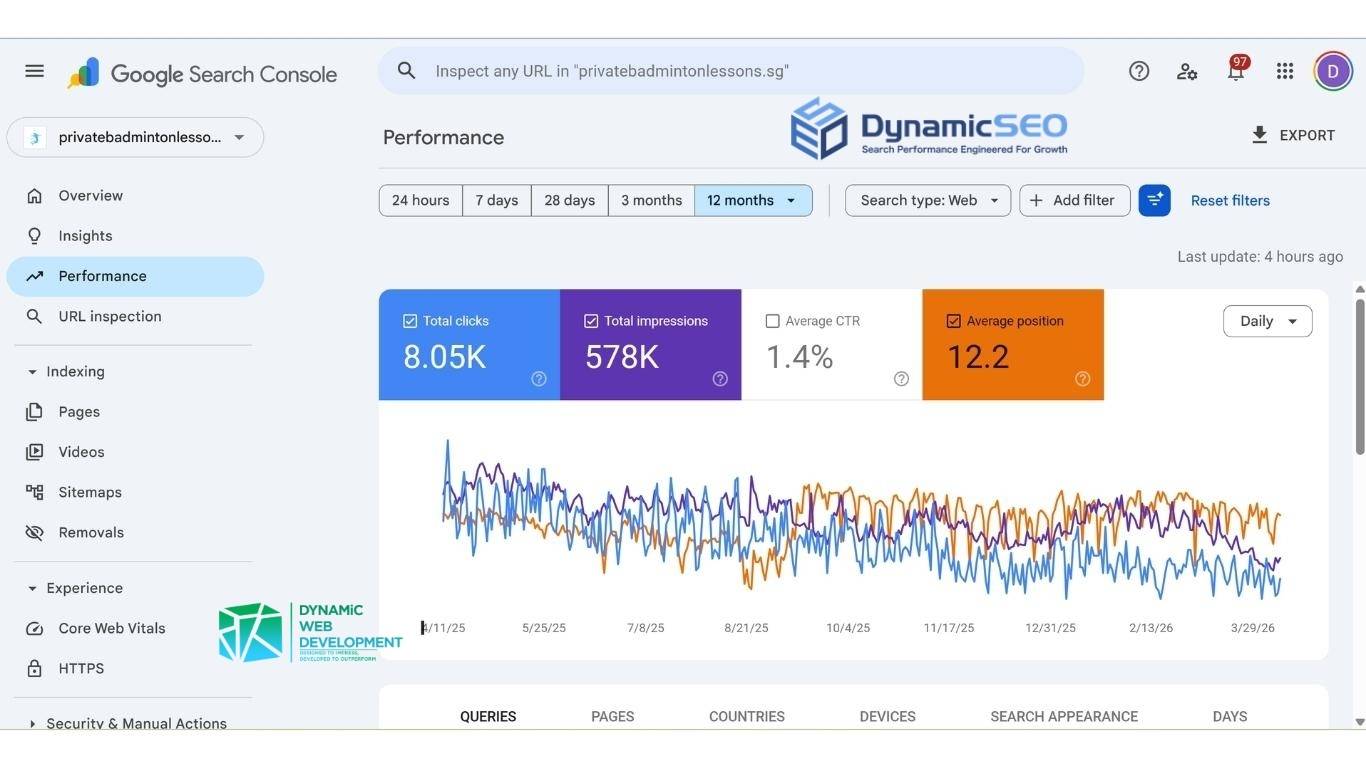
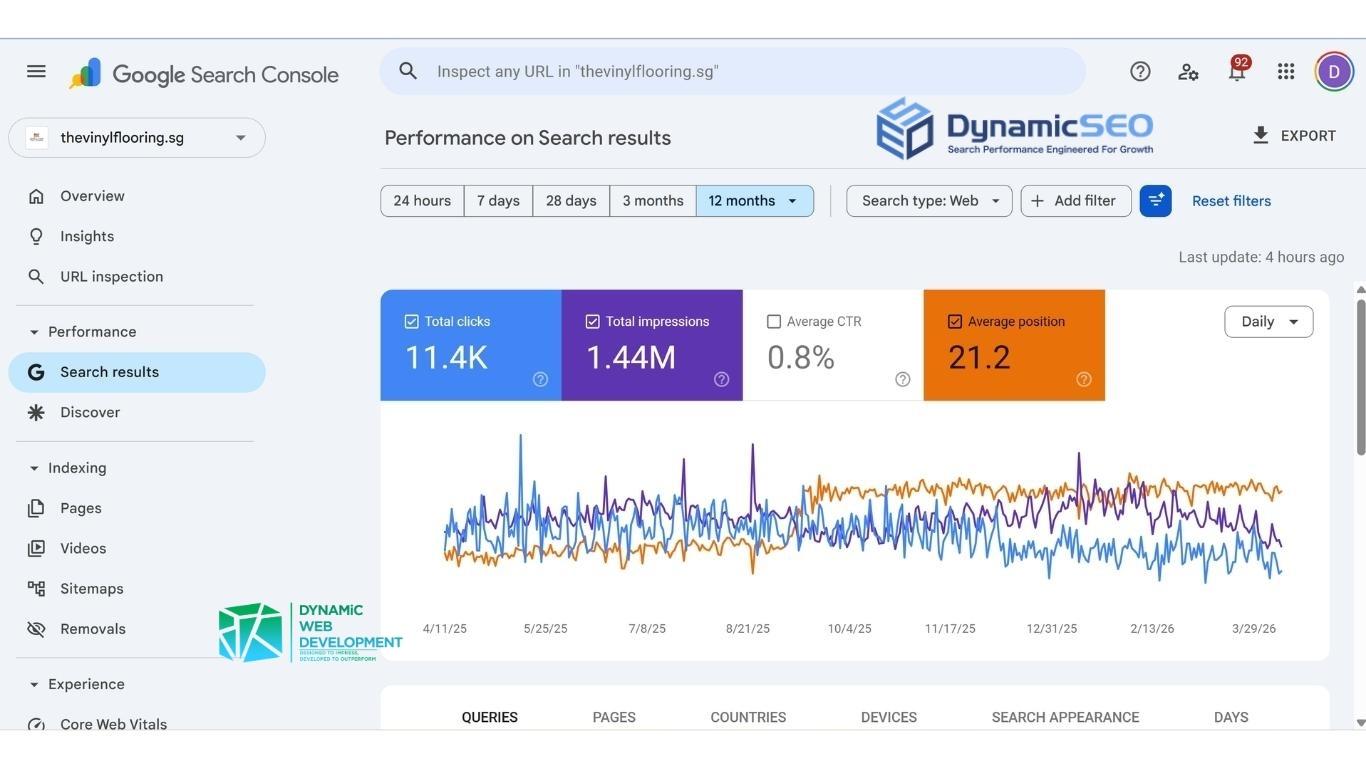
Google Search Console: Your First Free Tool
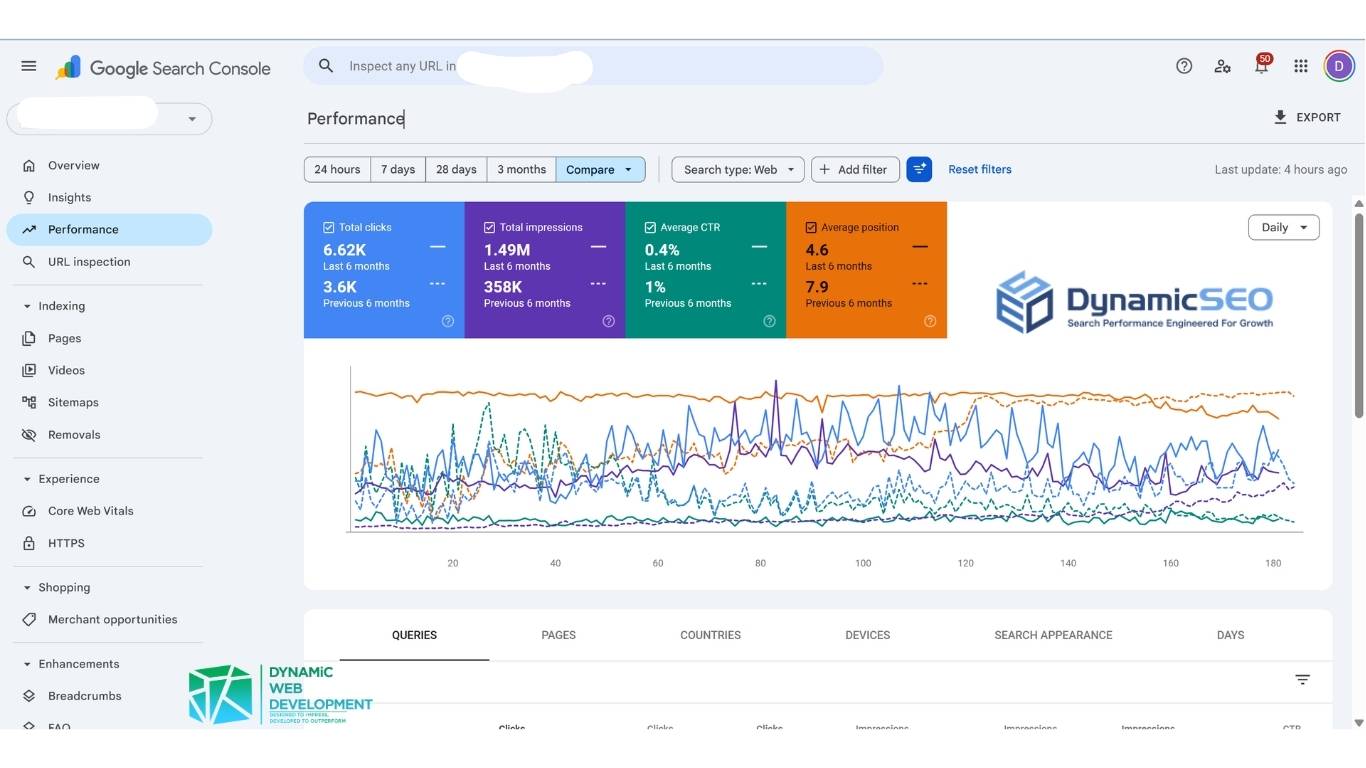
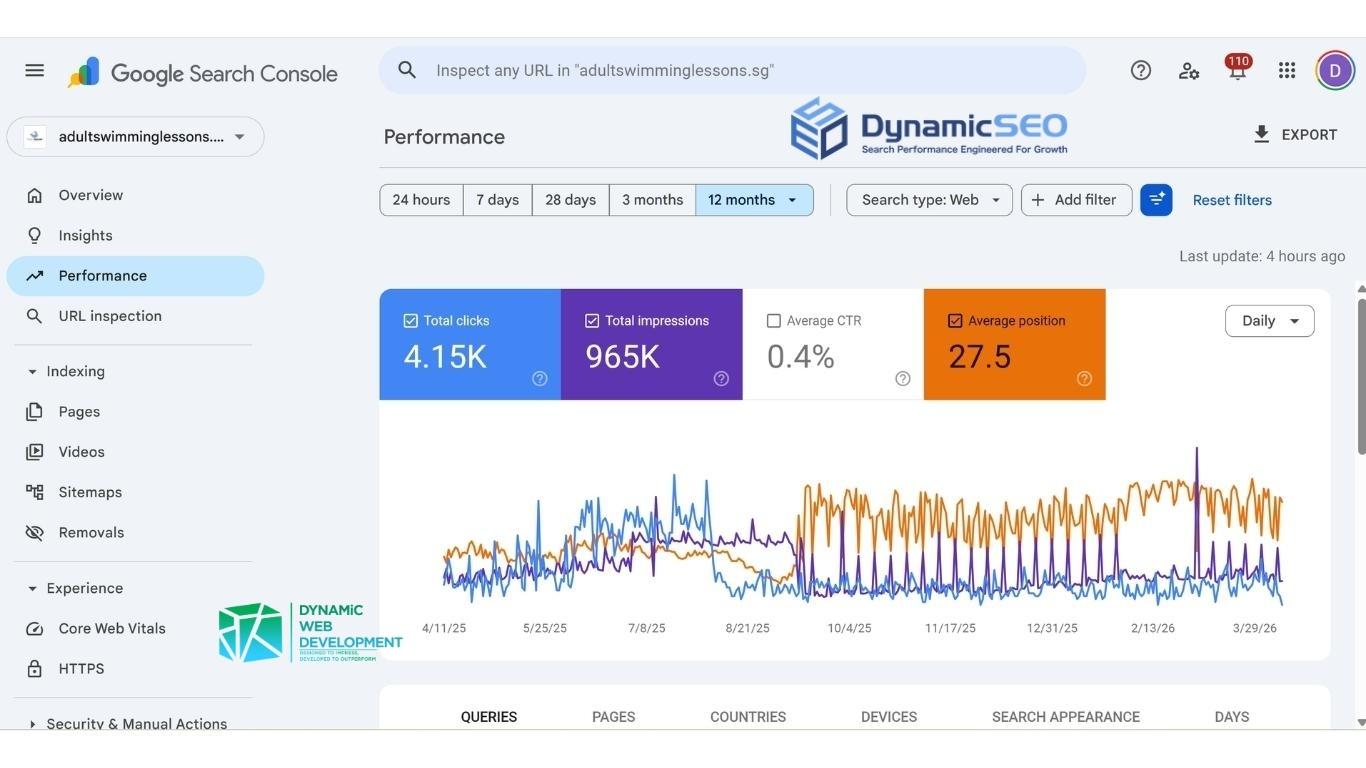
Google describes Search Console as a free service that helps you monitor, maintain and troubleshoot your site’s presence in Google Search results. It shows the searches that bring up your pages, how often your site appears, how many people click and which pages Google has added to its index.
If you set up one tool this month, make it this one. It is the most direct view of how Google sees your website, and the other tools on this list build on that picture. Our guide on how to use Google Search Console for SEO walks through the reports step by step.
Google Analytics and PageSpeed Insights
Search Console shows what happens before someone clicks. Google Analytics shows what happens after: which pages visitors read, how long they stay and whether they send an enquiry. Google provides it free of charge.
PageSpeed Insights reports how a page performs on mobile and desktop, with suggestions to improve it. It combines a test run in a controlled setting with real-world data from Chrome users, so you see both how a page loads in a test and how it loads for real visitors.
Free Keyword Research With Google Keyword Planner
Google describes Keyword Planner as a free keyword search tool that helps advertisers build keyword lists. It sits inside Google Ads and shows keyword ideas related to your business, with estimates of how often people search for each one, such as “aircon servicing Tampines” against “aircon servicing Singapore”.
Treat the figures as estimates and use them to compare ideas against each other. For a business choosing which services to write pages about, that comparison is usually enough. If you would like a full list built for you, our keyword research service does this before any page is written.
Site Audit Tools: Screaming Frog and the Rich Results Test

Screaming Frog SEO Spider is a website crawler that checks a site for over 300 SEO issues, such as broken links, missing page titles and redirects. The free version crawls up to 500 URLs, which is plenty for a small business website of a few dozen pages.
Google’s Rich Results Test checks the structured data on a page, the code that helps Google show extras such as product prices or event dates in its results. Run it after any change to your page templates. If you have searched for an “SEO checker”, these two tools do that job for a whole site and for a single page. Our technical SEO guide explains what to do with the issues these tools find.
All-in-One SEO Suites: Semrush, Ahrefs and Moz Pro
Semrush brings keyword research, competitor analysis, site audits and rank tracking together in one place. Its free account comes with reduced limits, which is enough to try the main reports before paying.
Ahrefs is a strong choice for studying the links that point to a website. Its free Ahrefs Webmaster Tools gives site owners a site audit and a view of the links to their own site. Moz Pro offers a similar set of research tools and currently starts with a free trial.
These suites earn their cost when you want to see the keywords your competitors rank for, or when you manage several websites. For a single business website, the free Google tools above are the best SEO tools to start with.
Best SEO Tools to Start With as a Small Business
Start with Search Console, Google Analytics and PageSpeed Insights. Set them up once and check them monthly, and you will see which pages bring visitors and where pages load slowly. Add Keyword Planner when you plan new pages, and a crawl with Screaming Frog every few months.
Tools show you the data, and deciding what to do with it is the harder part. If you would like a second pair of eyes, our SEO consultant service starts with a free SEO audit, and our SEO packages cover the work for you each month. New to the subject? Start with our guide on what SEO is.
Frequently Asked Questions

Do I need to install anything to use these SEO tools?
Do I need Search Console if I already use Google Analytics?
How often should I check my SEO tools?
Which SEO tools help with AI search?
Grow Your Online Presence With SEO Built for Long-Term Results

Partners in Success, Stronger Together